Vehicle Scripts
ds-tractioncontrol


Requirements
- QBCore / Qbox / ESX
- OneSync Infinity
- Server v7290 or newer

Overview
# ds-tractioncontrol
traction control toggle for dirt track racing. Works on **QBCore**, **Qbox (qbx_core)**, and **ESX** — it auto-detects whichever one is running.
## What it does
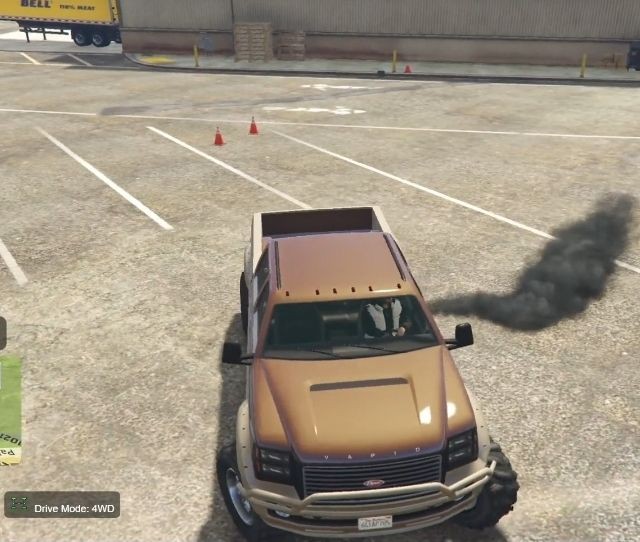
Pressing the bind (default **Page Down**, remappable in `Settings > Key Bindings > FiveM`) loosens the traction/handling values of the vehicle you're currently driving, so the wheels break loose under throttle and through corners — the classic "TC off" slide feel for dirt racing. Pressing it again restores the vehicle's original handling.
Only affects the vehicle you're driving, not the global `handling.meta`, and only while you're the driver.
By default (`Config.OnlyOnDirt = true`) it can only be switched off while the vehicle is actually on dirt/off-road ground — checked live via a ray cast against the world's ground collision material, not the vehicle's class. Drive back onto pavement (or any surface not listed in `Config.DirtMaterialHashes`) while it's off and it's silently restored for you.
Your on/off preference is also **saved per player** and automatically re-applied the next time you get behind the wheel — see [Saved preference](#saved-preference) below.
## Install
1. Drop the `ds-tractioncontrol` folder into your `resources` directory.
2. Add to `server.cfg`:
ensure ds-tractioncontrol
3. Open [config.lua](config.lua) and adjust to taste (see below).
4. Pick a storage backend for saved preferences with `Config.Storage`:
- `'json'` (default) — zero setup, stored in a small JSON file inside the resource.
- `'oxmysql'` — stored in your database via [oxmysql](https://github.com/overextended/oxmysql). Requires oxmysql to be started; the table (see [install.sql](install.sql)) is created automatically on first start, so running the SQL by hand is optional.
## Config highlights ([config.lua](config.lua))
| Setting | Purpose |
|---|---|
| `Config.Framework` | `'auto'` (default), or force `'qbcore'` / `'qbox'` / `'esx'` / `'standalone'` |
| `Config.DefaultKey` | Default keybind (`PAGEDOWN`), players can rebind client-side |
| `Config.DriverOnly` | Only the driver can toggle it |
| `Config.RestrictToJobs` / `Config.AllowedJobs` | Optionally lock the toggle to specific jobs (e.g. `racer`) |
| `Config.OnlyOffroadClasses` / `Config.OffroadClasses` | Optionally only allow toggling on off-road capable vehicle classes |
| `Config.OnlyOnDirt` / `Config.DirtMaterialHashes` | Only allow switching TC off while sat on dirt/off-road ground (checked via ray cast against the ground's collision material, not vehicle class); auto-restores if you drive back onto pavement. Use `/tc_surface` in-game to inspect a surface's material |
| `Config.TractionFields` | Handling fields + multipliers used to loosen traction when off |
| `Config.UseReduceGrip` | Also applies `SetVehicleReduceGrip` for extra slide on corners |
| `Config.ShowHudText` | Small custom-HTML "TC OFF" corner indicator while active |
| `Config.NotifyMethod` | `'auto'` (default), or force `'ox_lib'` / `'framework'` / `'toast'` — see [HUD](#hud) |
| `Config.SaveTractionPreference` | Persist each player's on/off preference server-side |
| `Config.AutoApplyOnEnter` | Silently re-apply the saved "off" preference the moment you become the driver of a vehicle |
| `Config.Storage` | `'json'` (default, no DB) or `'oxmysql'` — see [Saved preference](#saved-preference) |
| `Config.StorageFile` | JSON backend only — file path (relative to this resource) the preferences are written to |
| `Config.StorageTable` | oxmysql backend only — table name (see [install.sql](install.sql)) |
## Exports (for integrating with a race script)
-- Force traction off/on for a vehicle from another resource, e.g. at the start/finish line
exports['ds-tractioncontrol']:SetTractionControl(vehicle, false) -- turn TC off
exports['ds-tractioncontrol']:SetTractionControl(vehicle, true) -- turn TC back on
exports['ds-tractioncontrol']:SetTractionControl(vehicle, true, true) -- silent (no notify/sound)
exports['ds-tractioncontrol']:IsTractionControlOff(vehicle) -- bool
-- Trigger the same toggle the keybind uses, on the local player's current vehicle
exports['ds-tractioncontrol']:ToggleTractionControl()
Useful for a dirt track race resource: force TC off for all racers at the start line, or force it back on when someone leaves the track/race.
## HUD
The "TC OFF" indicator is a real HTML/CSS/JS NUI page ([html/ui.html](html/ui.html), [html/ui.css](html/ui.css), [html/ui.js](html/ui.js)) rather than a native GTA draw-text call, so you can freely restyle it (colors, position, animation, fonts) without touching any Lua. The client only ever sends `SendNUIMessage({ action = 'tc', visible = true|false })` when the state actually changes — the page itself handles show/hide and the fade transition. No `SetNuiFocus` is used, so it never captures mouse/keyboard input.
The same page also renders toast notifications. `Bridge.Notify()` ([client/bridge.lua](client/bridge.lua)) sends `SendNUIMessage({ action = 'toast', message, type })` (top-right, auto-dismisses, color-coded by `success`/`error`/`primary`) whenever the method picked by `Config.NotifyMethod` isn't available:
- `'auto'` (default) — prefer `ox_lib`'s `lib.notify`, then the active framework's own notify function, then the toast
- `'ox_lib'` — always `lib.notify`, toast only if `ox_lib` isn't running
- `'framework'` — always QBCore/Qbox/ESX's own notify, toast only if unavailable
- `'toast'` — always the custom HTML toast, skips `ox_lib`/framework entirely
## Saved preference
When `Config.SaveTractionPreference` is `true` (default), toggling traction control tells `server/main.lua`, which saves it via whichever backend `Config.Storage` picks:
- **`'json'`** ([server/storage.lua](server/storage.lua)) — written to `Config.StorageFile` (default `preferences.json`) inside this resource.
- **`'oxmysql'`** — upserted into `Config.StorageTable` (default `ds_tractioncontrol`, see [install.sql](install.sql)) via `INSERT ... ON DUPLICATE KEY UPDATE`. If oxmysql isn't running, the resource logs a warning and falls back to the JSON backend instead of erroring.
Either way the preference is keyed by a stable per-character identifier resolved — `citizenid` on QBCore/Qbox, `identifier` on ESX — so it follows you across relogs on the same character. Only the "off" preference is stored; "on" is the default, so storage stays tiny for players who never touch it.
On next login (or the first time you get in a vehicle after a resource restart), the client asks the server for your saved value. If it's "off" and `Config.AutoApplyOnEnter` is `true`, the moment you become the driver of a vehicle it's silently re-applied — no need to hit the key again every session.
## Notes
- If `ox_lib` is detected running, notifications use `lib.notify` automatically.
- The resource restores any vehicle it modified if it's stopped/restarted, so nothing gets left permanently loosened (and hides the NUI HUD at the same time).
- `/tc_surface` (no permission gate) prints the ground material under your current vehicle/ped and whether it currently counts as "dirt" per `Config.DirtMaterialHashes` — handy for tuning that list against custom maps/MLOs.
- Each entry in `Config.DirtMaterialHashes` has its own `enabled = true/false` — flip individual surfaces off (e.g. plain `Grass`) without removing them from the list, they'll still show up (marked "disabled") in `/tc_surface`.
More vehicle scripts